Description
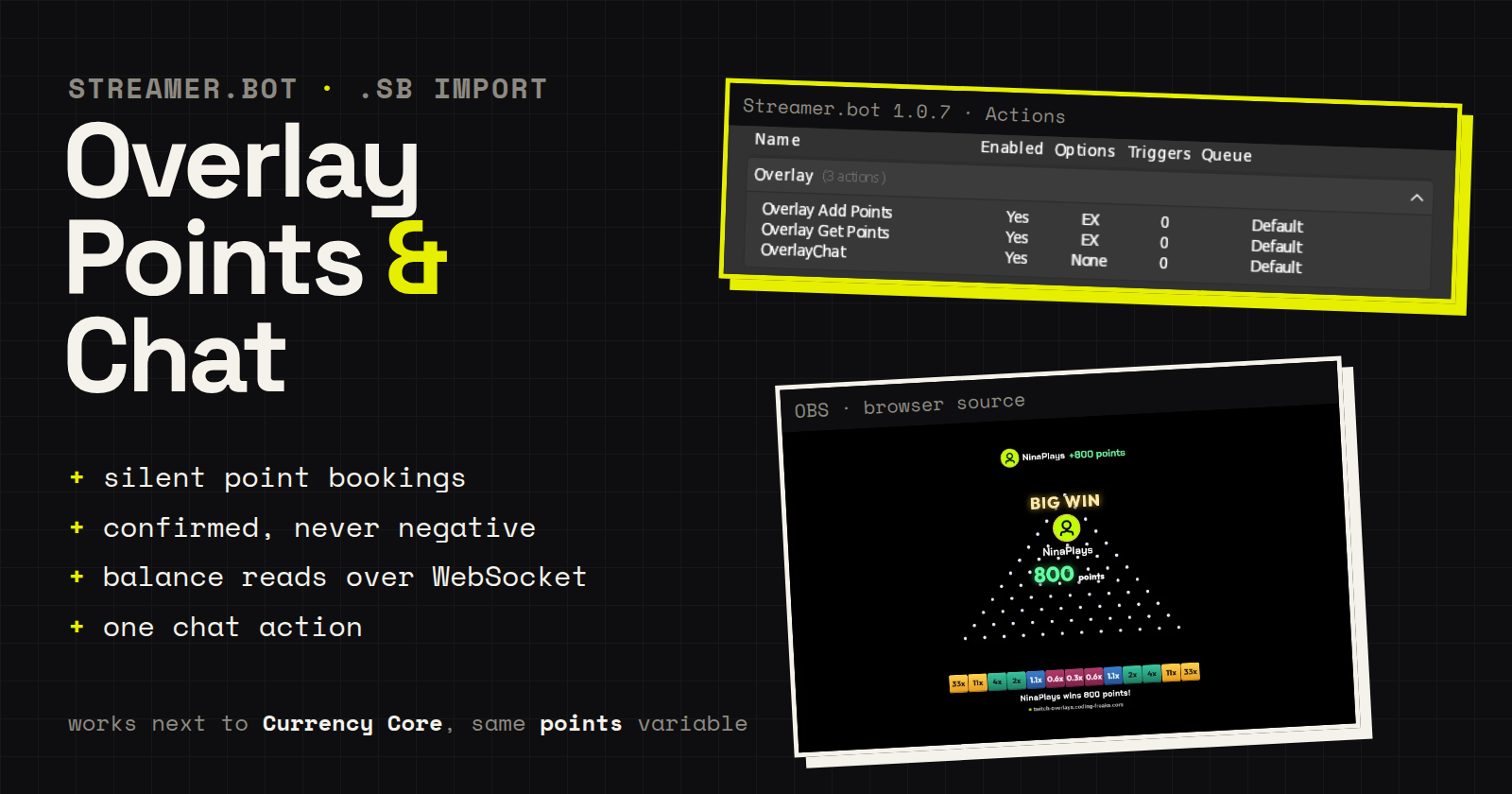
Three actions that let a browser-source overlay talk to Streamer.bot: one that
sends a line to chat, and two that book viewer points and read balances.
The point actions are silent and work alongside Currency Core: they write
the same persisted user variable (points), so your existing point commands
keep working exactly as before, with their usual chat lines.
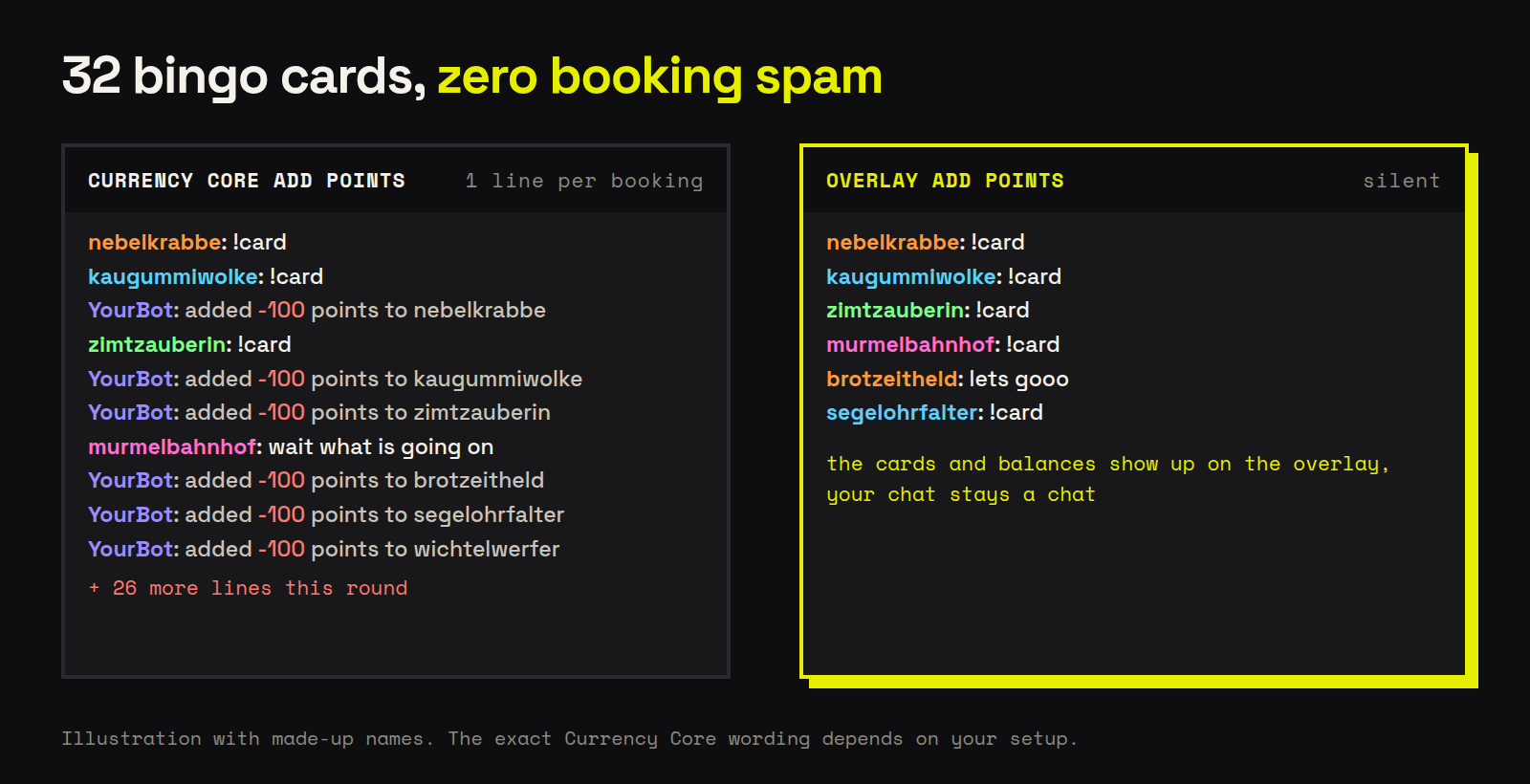
I built them because Currency Core posts a chat line after every booking. That
is fine for a single reward, but an overlay that sells 32 bingo cards writes 32
lines, and deductions read as “adds -100 points”.
| Action | What it does | Arguments |
|---|---|---|
Overlay Add Points |
books an amount (sign included) and confirms it | input0 = amount, input1 = login, requestId = your id |
Overlay Get Points |
reads a balance and broadcasts it back | input1 = login, requestId = your id |
OverlayChat |
sends a supplied line to chat | text |
Why the answer comes over the broadcast
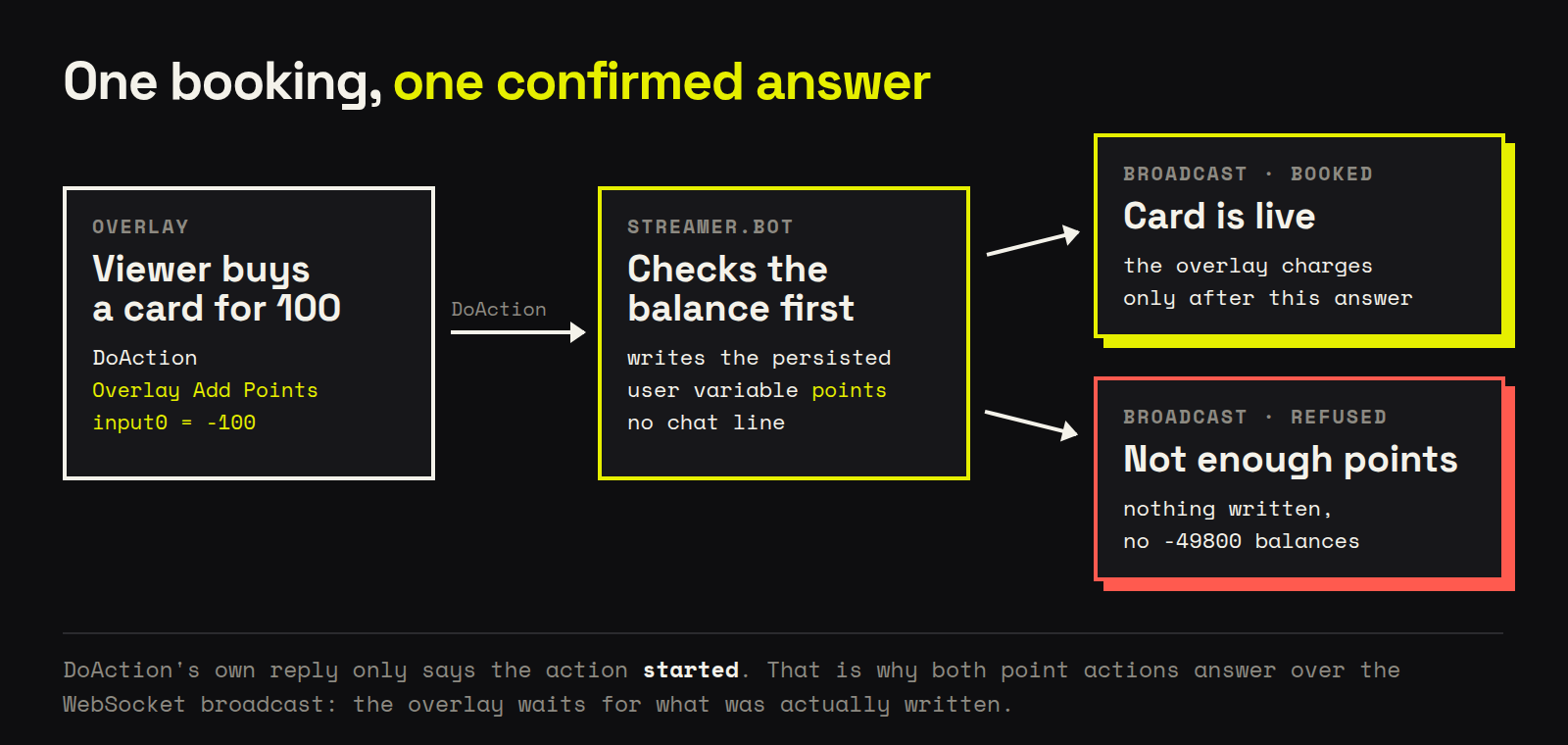
Streamer.bot’s DoAction reply only confirms that the action was started, never
what it wrote. So both point actions answer over the WebSocket broadcast with
the requestId you sent:
Overlay Get Pointsanswers{"requestId":"…","points":1200}.Overlay Add Pointsanswers{"requestId":"…","booked":true,"points":1100,"reason":"ok"}.
That answer is the point: an overlay can charge an entry fee only once the
booking is confirmed.
Overlay Add Points also refuses a deduction the viewer cannot cover
("booked":false,"reason":"insufficient") instead of writing a negative
balance. Nobody ends up at -49800 points after betting more than they had.
Import File
- coding-freaks-overlays.sb (6.1 KB)
Resources
- Setup guide (step by step, with the config lines): Connect an overlay to Streamer.bot
- The overlays these actions were built for (free ones included): CodingFreaks Overlays
Installation
In Streamer.bot click the Import button in the top menu. Drag the .sb file
into the Import String field.
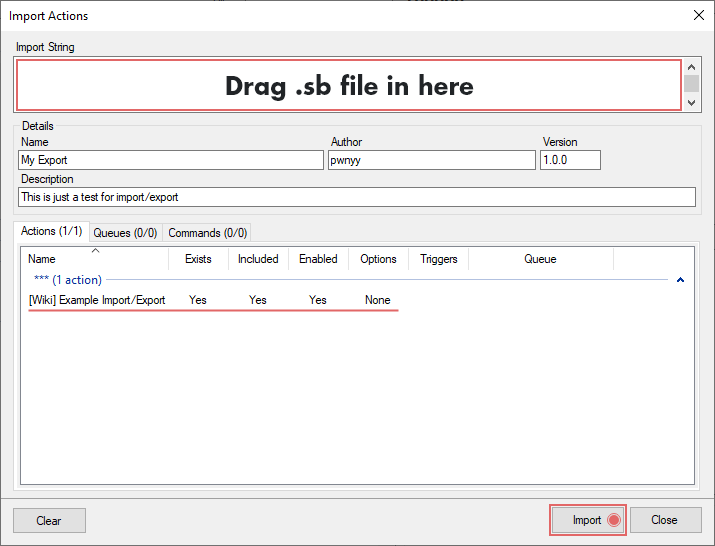
The three actions land in a group called Overlay, next to whatever you already
have. Nothing else to configure.
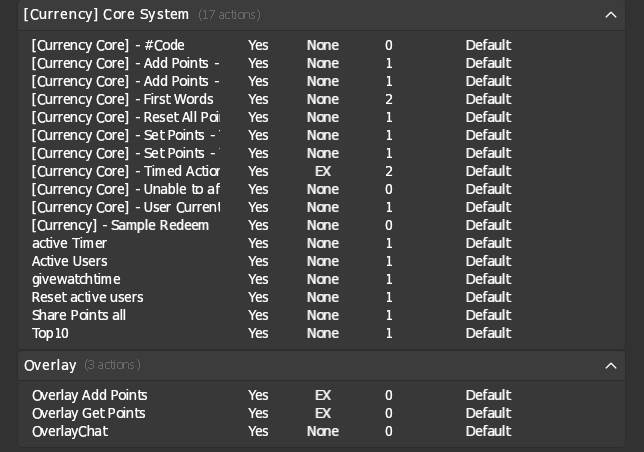
You also need the WebSocket server running (Servers/Clients → WebSocket Server),
which is the same server any browser-source overlay talks to.
If you already have an action named OverlayChat from setting this up by hand,
delete it before importing. Otherwise two actions share a name, and DoAction
addresses actions by name.
Updating
To move to a newer version of this package, delete the Overlay group first,
then import. Importing over an existing action keeps the inline C# code that is
already there, so the actions would still be named right and still behave like
the old version.
Configuration
Point your overlay at the action names. In our overlays that is four lines in
config.js:
outputSource:             'streamerbot',
streamerbotChatAction:    'OverlayChat',
streamerbotPointsAction:  'Overlay Add Points',
streamerbotBalanceAction: 'Overlay Get Points',
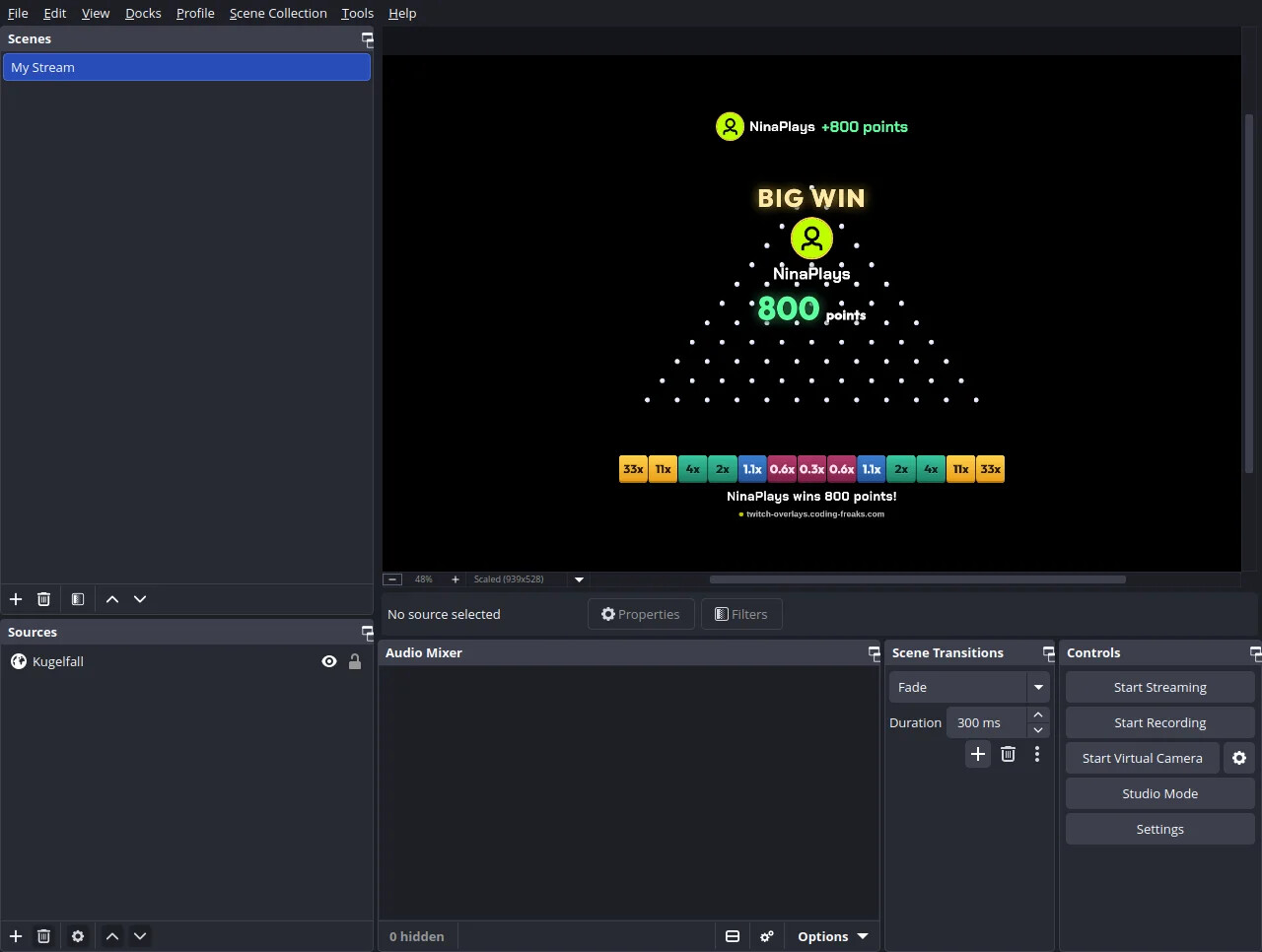
Any overlay that can call DoAction and listen to the broadcast works the same
way. Here is one of ours paying out in OBS:
Commands
None. All three actions are meant to be called by an overlay through DoAction,
not typed in chat. Your Currency Core commands stay as they are.
Contributors
Testing Phase Log
Version 1.2.0
- first public version, tested on Streamer.bot 1.0.7
Overlay Add Pointsconfirms every booking and refuses uncovered deductions