Yeah same here I can’t get this to work on the latest version they released last week which was 3.11 and also tried previous build 3.8, followed all steps correct and not able to use the command functions.
Hello, life is going, but I didn’t forget about this small project, found time to test and fix some things 
Root cause: Since Streamer.bot v1.0 the queue is blocked by default - that’s why it stopped working 
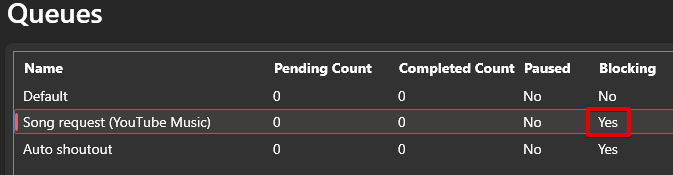
Should be fixed in
1.3, tested with 3.11

okayblast & kibatv
I removed queue from v1.3 instead of making shit-fixes around 
Please try it with updated one 
Root cause: The issue - is pre-made playlist songs have no queue index
raftortv
Q: You’re right, I found that too, unfortunately with pre-made playlists - Youtube API drop errors on regular !addsong 
biogopher
Q: !next answer “Empty queue, paused”
A: As far as I got - because the queue index parameter exist only for added songs, and doesn’t exist for pre-added, so it blows the logic in some cases.
Q: !queue gives back “Songs in queue: (1): 1. Невідома пісня”
A: Also because of the queue index I suppose
tonnizi
Will look into that, what hotkeys do you want?
I added hotkeys for you in v1.3
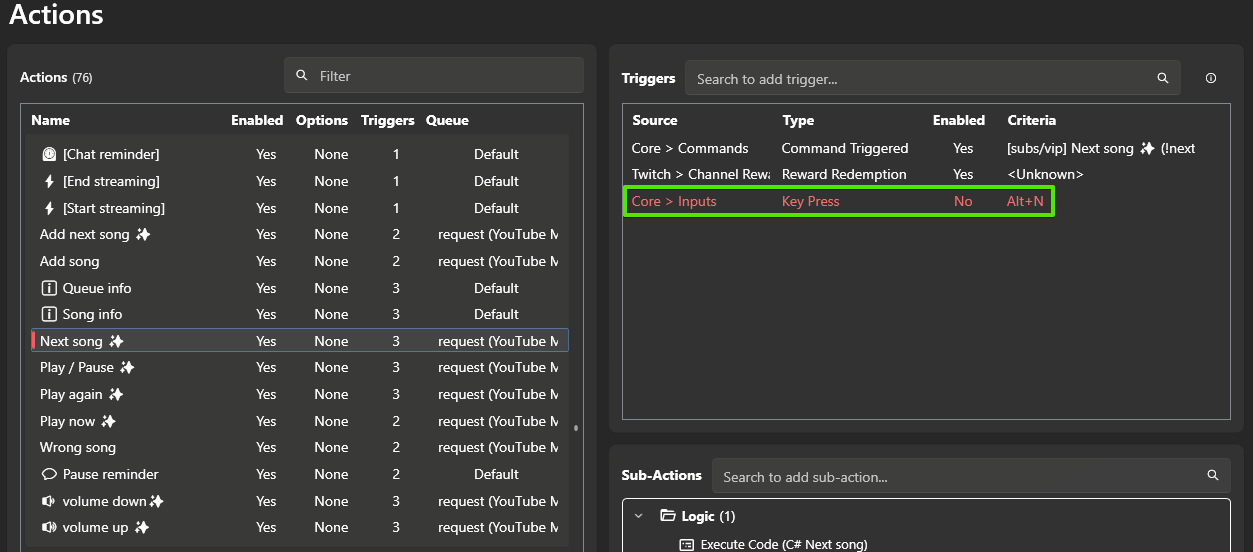
Enable & change where you need them

ZeroTenFuras
Already in v1.3
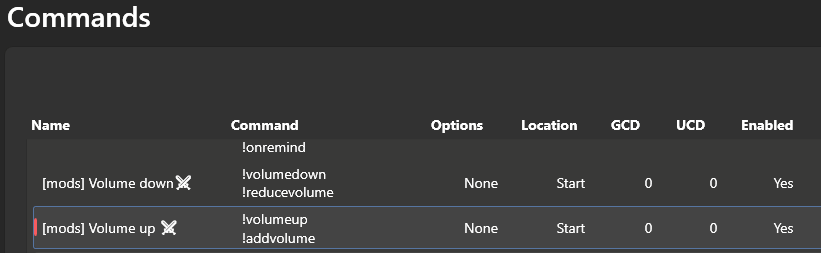
indraaf11
Added YouTube chat support in v1.3 please try with updated one
Hey, do you think it could be possible to have a “!replay” to make a specific music replay itself until we redo the command ?
or make a specific playlist start on a specific scenes ? ( like a starting soon playlist etc.. )
1 Like
okotales Absolutely - here is a repeat feature
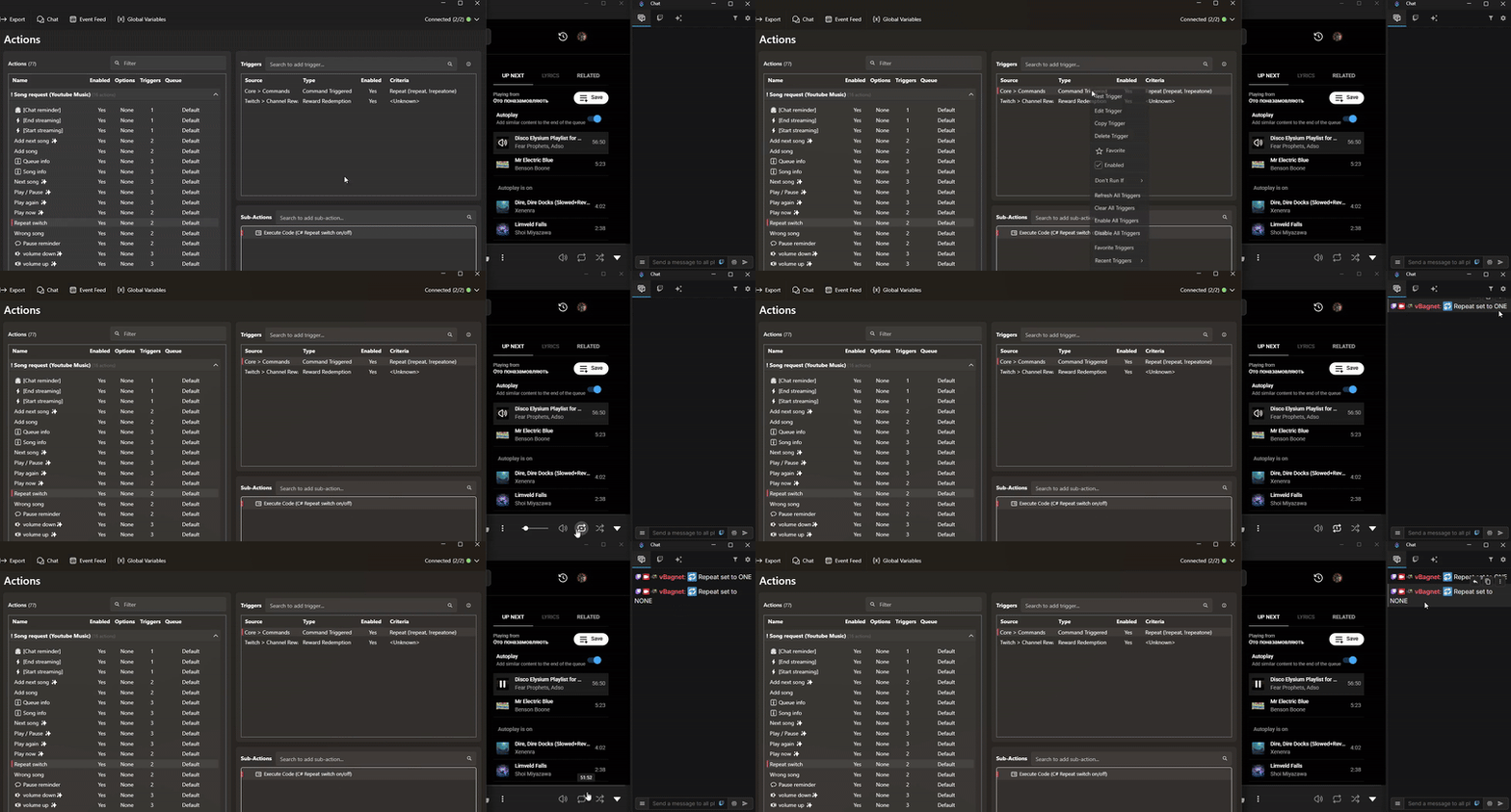
Repeat switch - Song request v1.3 (YouTube Music).sb (3.4 KB)
Enjoy
So I have an issue with getting !sr to add songs. the bot shoots out: X Could not add song, PhantomYosha, check the link
However when I use !addnextsong it works, but doing this puts the song above the other requests. So I’m not sure whats so different between the two
ghostlyyosha
Yes, it happens with playlists that have pre-added songs, unfortunately, youtube api messing up with the queue sequence, and it causes trouble to add a song by simply !sr
To avoid that, you can use !addnextsong of course or a playlist with one long ambient track.
Add Kick.com Support.
Add so that both chat notifications and added to the queue come.
So if you do !sr in kick chat, you will only be added to the queue in kick chat.
And if you do !sr in twitch chat, you will only be added to the queue in twitch chat
Works great for me. Only improvement I would suggest is to have a variable for the currently playing song and artist, so thst we can display that
First off, thank you for the work you have done!! I was endlesly looking for a ytm that worked with redeems.
The only thing i’m currently missing (or at least i haven’t found how) is to have an overlay of the current song playing that i can add in obs.
Is there a way to do this or is this a feature that couyld be added in the future?
Thank you again for your time and effort!! o7
Lovely Bot - Thank you very much! 
1 Bug and 1 1/2 Feature-Request:
Bug:
When adding songs it shows often only “ Added to the queue song ”
Song is normaly replaced with the title of the song, but not always - e.g. could verify with different Billy Talent songs → Also would it be perfect if Artist and Songname would be shown
Feature Request:
I used Spotify until now via a Streamerbot extension - There it was possible to create playlists. With these playlists it was possible that the playlist runs when nobody uses the !sr function. Whenever someone entered a !sr the SR song will be played next and the songs will be added after the first SR song but before my playlist song.
!addnext will add the song as next song but the next !addnext will add in front.
Thats not my intention… I would like them in the order they came in.
Current Workaround: Only using !sr and no playlist, just autoplay :c
If this could be added I would be so happy! Thank you so much for your hard work
hi there! thank you so much for all your hard work on this. i wanted to point out some trouble i’ve been having with the volume adjustments. at times it does not adjust the volume at all, the volume up actually turns the volume down, it only goes up 1% at a time even though the chat message says its gone up 20%, etc. will there be fixes for this feature in the future? and is there a certain plugin i should or should not be running that might help/harm the process?
also, i was wondering if there was a way to not have the bot delete the original !sr message in chat. i’m not super familar with how to dive into the details/coding of the command itself so any guidance on how to disable that would be helpful!
thanks again 
I’m doing something wrong cause all I get is the error:
Can’t add the song, [user], please check URL
This tool is amazing! Perfect for almost everything I need
Only thing i would like is some sort of backup playlist option
I know this isnt posible via normal means due to api limitations, but maybe you could have a text document with the songs you would like it to play, and have it auto pull from one of those songs at random when the queue is empty?
Yo, the plugin was working fine for 1 day, but now it adds 2 songs instead of just 1, and because i think the plugin removes duplicates, it just removes both of them and it’s impossible to add songs anymore
The plugin contains a lot of bugs and after testing I gave up on using it.
Adding songs returns:  Could not add song, check the link
I managed to fix this by creating a new playlist. !addsong started catching songs…
!volumeup / !volumedown - works however it wants. After typing !volumeup I get the message “Changed volume from 7% to 27%” all the time. After typing !volumedown “Changed volume from 7% to 0%”, although the volume doesn’t actually change.
QUEUE - Songs in queue: (1): 1. Unknown track - doesn’t display song names
!next doesn’t play the next song from !addsong, it just stops the music
after it i gived up.
Hello! First off, great plugin, works well on my end!
I’d like to ask if it would be possible that, after inputing the !addsong command, a message would pop-up on chat informing the user that said song was added to the queue. For e.g.:
!addsong [song name]
“Added [song name] by [artist name]”
I apologize if this has already been asked prior. Cheers!
Hi there! I am a huge fan of this plugin; I am looking to use it on the regular. One thing that troubles me a bit, when I am using the autoplay function within Youtube Music App, and that the few songs it has in Autoplay run out. Music stops. There doesn’t see to be a way to extend that list in their app natively. I am wondering, if from your side, could you repopulate that list, or if the Autoplay is running low, could you check and then add from another play list or something?
I came here to ask the exact same thing. Did you ever figure it out?
for some reason
add next song works fine with my playlist but add song doesn’t why is that?
Still cant get it to work. dont understand why