Description
If you’re familiar with Crontab, you can use this extension to run actions at defined times using cron expressions. If you’re unfamiliiar, please read this article to learn more
Use this tool for testing cron expressions
Import Code
Crontab-0.2.0.sb (10.6 KB)
Crontab-0.2.1.sb (10.7 KB)
Installation
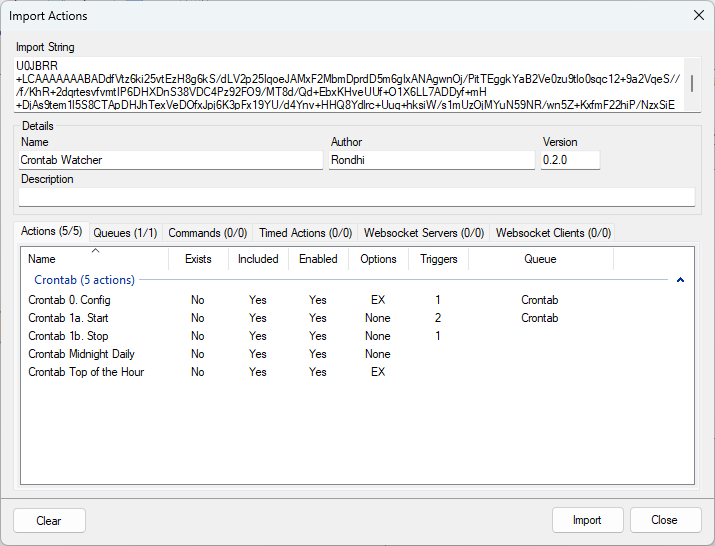
In Streamer.bot click the Import button in the top menu. Drag the .sb file into the Import String field.
Configuration
All configuration is done in the Crontab 0. Config action. Use Subactions > Core > Arguments > Set Argument to add an action and cron expression.
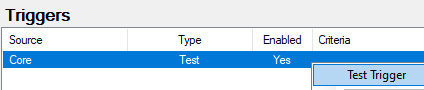
To save the configuration, right-click the Test trigger and click Test Trigger
Example
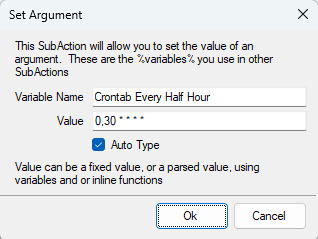
If you want to have an action called Crontab Every Half Hour run at every half hour, then your cron expression would be as such: 0,30 * * * *
This is a screenshot of how your Set Argument should look like:
Usage
- Configure the
Crontab 0. Configaction as explained above in the Configuration section - Running the
Crontab 1a. Startaction will start the Crontab watcher- The
Streamer.bot Startedtrigger is disabled by default - Enable this trigger to have the Crontab watcher automatically start when Streamer.bot starts
- The
- Running the
Crontab 1b. Stopaction will stop the Crontab watcher
Testing Phase Log
Version 0.2.0
- Initial testing version
Version 0.2.1
- Increased robustness of code